

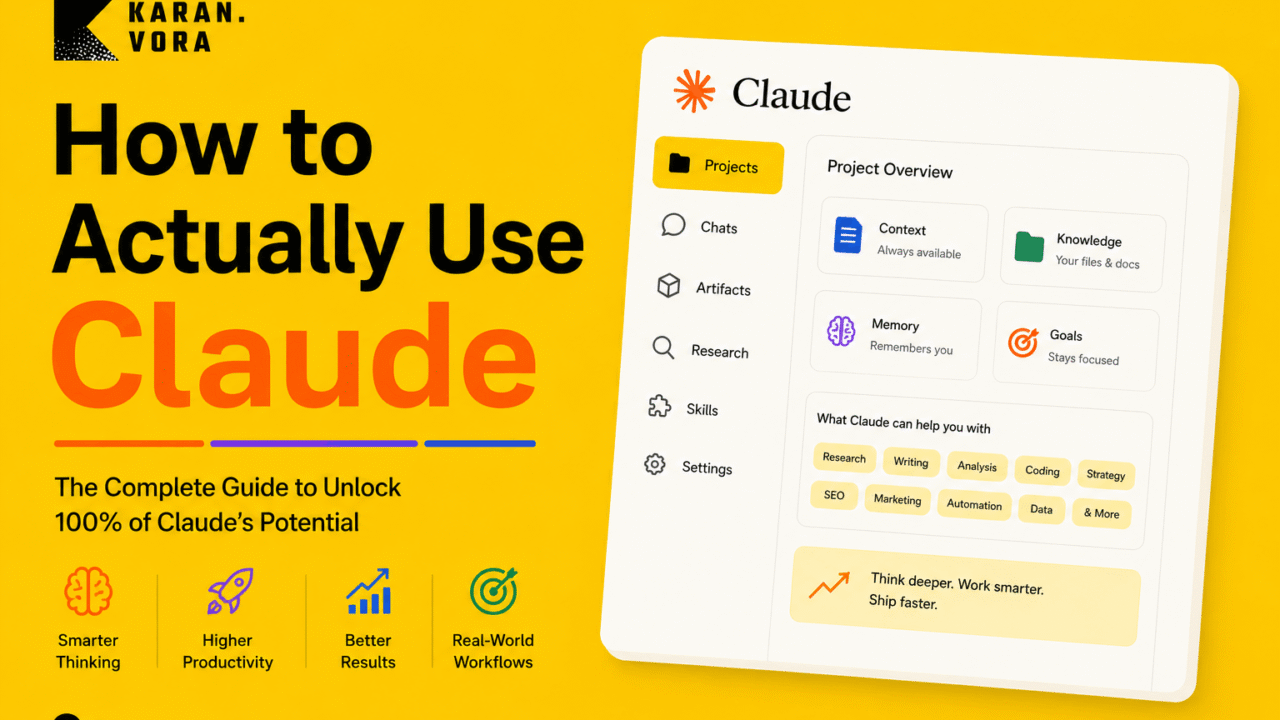
How to Actually Use Claude AI Like a Serious Operator in 2026
Most people use Claude like a better search box. The real power starts when you build a structured work system: Projects for persistent context, memory for continuity, Research for cited evidence, Skills for repeatable execution, Cowork for embedded workflows, MCP for live tool access, and Claude Code with subagents for engineering at scale.
The classic Claude advice is still true: use Projects, give Claude context, write custom instructions, clone your writing style, start fresh chats for new topics. But that is only the entry level. In 2026, Claude is a full professional work environment. This guide turns the complete foundation into an expert operating manual for professionals, founders, marketers, developers, analysts and creators.
The core idea: Claude is not a magic answer machine. It becomes powerful when you give it the right context, the right tools, the right source material, the right constraints and the right review loop. That design work is what separates a casual user from an operator.
What is new in Claude as of 20 May 2026?
Claude has transformed from a chat interface into a multi-surface professional platform. Here is what actually changed and why each update matters for your workflows.
What are the current Claude models in 2026? The active lineup is Claude Opus 4.7 (flagship, April 16 2026, best for hard coding and agents), Claude Sonnet 4.6 (default for Free and Pro users, 1M context, best value for daily work), and Claude Haiku 4.5 (fast, lightweight, high-volume tasks). Sonnet 4 and Opus 4 were deprecated May 2026 with retirement on June 15, 2026.
Claude Opus 4.7
Released April 16, 2026. Most capable Claude for hard reasoning, complex coding and agentic workflows.
- 87.6% SWE-bench Verified, best of any frontier model
- 3.75-megapixel vision, 98.5% visual acuity
- Adaptive thinking: model calibrates reasoning depth to task
- New tokenizer: 10-35% more tokens than Opus 4.6 for same text
- Best for: hard engineering, agents, visual analysis, strategy
Claude Sonnet 4.6
Released February 2026. Preferred over Sonnet 4.5 approximately 70% of the time in Claude Code testing.
- 1 million token context at flat pricing (GA March 13)
- Largest single OSWorld jump for computer use of any Sonnet
- Prompt injection resistance on par with Opus 4.6
- $3/$15 per million tokens via API
- Best for: writing, analysis, research, daily coding, all-day workflows
Claude Haiku 4.5
Fast and lightweight. Best for high-volume tasks where speed and cost matter more than deep reasoning.
- Fastest response times in the Claude family
- Lowest cost per token via API
- Available on Amazon Bedrock in 27 regions
- Best for: classification, extraction, summarization, routing agents
Platform expansions that change how Claude works in 2026
Claude Cowork
Announced February 2026. Claude embedded in Microsoft Excel, Google Sheets, PowerPoint, Slack, Gmail and Google Drive. Claude for Word added April 2026, completing the full Office suite. Shared context across apps since March 2026: analysis from Excel transfers automatically to PowerPoint.
1M Token Context
Sonnet 4.6 and Opus 4.6 both support 1 million tokens at flat pricing since March 13, 2026. No long-context surcharge. Roughly 750,000 words or about ten full-length novels in a single session.
Context Compaction
Beta since January 12, 2026. Claude automatically summarizes conversation history when approaching the context limit, letting long agent workflows and coding sessions continue indefinitely without crashing.
Managed Agents
Public beta since April 23, 2026. Purpose-built infrastructure for persistent multi-session AI agents with built-in memory, webhook support and multi-agent coordination. Dreaming (research preview) lets agents review past sessions and self-improve.
Memory Synthesis
Claude synthesizes key facts from your conversations roughly every 24 hours. Chat Search (searching past conversations) is available on paid plans. Memory import from ChatGPT or Gemini is available on all plans.
Skills (SKILL.md)
Claude Code Skills are auto-invoked reusable instruction packs. Each skill uses a SKILL.md with YAML frontmatter. Descriptions scanned at ~100 tokens per skill; full instructions load only when the task matches. Dozens of skills installed with minimal overhead.
Subagents
Claude Code now supports specialized child instances for parallel delegation. Each subagent has its own context window and tool permissions. The main agent handles planning; subagents handle scoped execution like code review, testing or security checking.
Free Plan Upgrades
Free plan users now get file creation, connectors, Skills and context compaction. Previously Pro-only features are now baseline capabilities. The gap between free and paid narrowed significantly in early 2026.
The right mental model: Claude as a professional work operating system
If you ask Claude random questions in random chats, you get random value. If you design a structured system around Claude, you get compounding leverage.
| Old way | The 2026 operator way | Why the upgrade matters |
|---|---|---|
| Open a new chat for everything | Create Projects by work area with Instructions and knowledge files | Claude starts with your full context instead of zero every time. |
| Ask one-shot questions | Give role, goal, constraints, examples and output format | Output becomes specific and usable instead of generic filler. |
| Use Claude like Google | Use Claude as reasoning partner, synthesizer, builder and strategist | It can challenge, structure, produce assets and iterate. |
| Paste the same info daily | Use Project knowledge, memory synthesis and source documents | You save time and stop repeating yourself in every conversation. |
| Accept the first answer | Run critique, revision, steelman and evaluation loops | Quality improves significantly with structured iteration. |
| Copy-paste data between apps | Use Cowork or MCP so Claude accesses live data directly | No more screenshots or manual copy-paste workflows. |
| Re-prompt Claude for every task | Build reusable Skills that auto-trigger when the task matches | Your best workflows run automatically without rewriting prompts. |
The 2026 Claude setup blueprint: five foundations that change everything
This is the exact setup I would use to turn Claude into a serious AI teammate instead of a casual chatbot. Each step builds on the previous one.
Create Projects by outcome, not by mood
Do not create a single Project called "AI" and dump everything inside. Create Projects based on repeatable outcomes. Each gets its own purpose, instructions, knowledge files and naming system.
- Personal Brand: posts, articles, bios, tone, audience, ideas and writing style guide.
- SEO and Content: keywords, competitor notes, content briefs, internal links and entity maps.
- Business Strategy: goals, offers, pricing, market research, decisions and decision logs.
- Development: repositories, architecture notes, bugs, commands and deployment SOPs.
- Learning: courses, summaries, practice plans and concept maps.
Add a permanent operating profile
Claude should know who you are, what you do, how you think, what you hate and how you want answers. This removes the generic AI tone from every response.
My name is [your name].
I work as [your role]. My main responsibilities are [responsibilities].
My current goals are [goals].
I use Claude for [writing, research, strategy, coding, analysis, learning, decision making].
My audience is [describe audience].
My preferred communication style is [direct, detailed, strategic, practical, no fluff].
Avoid [generic advice, corporate tone, repeated summaries, unnecessary disclaimers, em-dashes].
When helping me, always focus on [outcome, clarity, accuracy, execution, business impact].
Turn your profile into Project Instructions
Project Instructions are your default operating rules. They make Claude behave consistently in every conversation without you re-explaining yourself.
Based on everything I uploaded about myself, write Project Instructions for Claude.

Define:
1. Who I am and what I do
2. What I am trying to achieve in this Project
3. How Claude should communicate with me (tone, length, format)
4. What Claude should never do or say
5. What level of detail I prefer
6. How Claude should handle uncertainty and missing information
7. How to format outputs (tables vs prose vs bullets)
8. How to challenge weak thinking without being passive

Under 400 words. Written as direct instructions to Claude.
Build a Project knowledge base like a professional
With RAG enabled, Claude retrieves relevant sections automatically without loading every file each time. Think of it as your company's AI brain.
- Brand guide, tone guide and writing samples (5 to 10 examples minimum).
- Product or service details, pricing and offer structure.
- Audience profile, customer pain points and common objections.
- Case studies, testimonials and credibility proof.
- Competitor notes and positioning landscape.
- Standard operating procedures and recurring checklists.
- Content calendar, keyword map and internal linking structure.
- Decision logs so Claude knows what has been agreed and why.
Use clean, descriptive file names every time
Claude retrieves far better when file names describe content precisely. Do not upload "final-v3-new-latest.docx." Use a system that tells Claude what is inside at a glance.
KaranVora_About_Profile_2026.md
KaranVora_Writing_Style_Guide_Voice_Samples_2026.md
Brand_Audience_Personas_Pain_Points_2026.md
SEO_Internal_Linking_Map_2026.xlsx
Competitor_Analysis_Positioning_2026.md
Decision_Log_Q2_2026.md
SOP_Content_Publishing_Workflow.md
When to use Chat, Web Search, Research and Extended Thinking
Most users mix these up. That is why answers are too shallow, not grounded in current facts, or unnecessarily slow and expensive.
What is the difference between Claude's modes? Normal chat handles drafting, editing and reasoning from existing knowledge. Web search adds current facts and citations. Research mode runs a longer multi-source investigation. Extended thinking applies deliberate reasoning for complex decisions. Use the lightest mode that answers the question well.
| Mode | Best for | Skip when | Example prompt |
|---|---|---|---|
| Normal chat | Drafting, editing, brainstorming, summarizing, analysis from uploaded docs. | You need current facts or external verification. | "Rewrite this LinkedIn post in my voice. Keep it sharp and practical." |
| Web search | Current facts, announcements, pricing, laws, product updates, citations. | The task only uses your own uploaded documents. | "Check the latest Opus 4.7 benchmarks and cite official sources." |
| Research | Deep multi-source synthesis, market reports, competitive analysis, cited long-form work. | You need a fast short answer or simple rewrite. | "Research the AI coding agent market and compare Claude Code, Cursor and Codex." |
| Extended Thinking | Complex strategy, architecture tradeoffs, financial analysis, multi-step decisions. | You just need a quick edit, definition or summary. | "Think through this pricing model carefully. Identify what I am missing." |
The routing rule: If the task needs current information, use web search or Research. If it needs complex reasoning with real tradeoffs, use Extended Thinking. If it is competent execution of a clear task, normal chat is sufficient.
The 1M token context window, compaction and intelligent context management
Claude now has a 1 million token context window at flat pricing. That is approximately 750,000 words in one session. But a bigger window is not the same as better context management.
What is Claude context compaction? Context compaction (beta since January 12, 2026) is where Claude automatically summarizes earlier conversation history when approaching the context limit. This lets long coding sessions and agent workflows continue indefinitely. In Claude Code, use /compact proactively at 70 to 90% context fill. In the API, enable with the compact-2026-01-12 beta header.
Fill intelligently, not maximally
The goal is not to fill the 1M token window. It is to fill it with the right signal. Keep system prompts concise. Upload documents to Projects instead of pasting massive text into every prompt.
Summarize before the limit hits
Once a thread grows long, ask Claude to produce a compact handoff summary before starting a fresh chat. A 4,000-token summary of a 40,000-token thread preserves 90% of the useful signal.
Watch for degradation signals
At 70%+ context fill, precision begins degrading. At 85%+, hallucination risk increases. Warning signs: Claude re-asks already answered questions or references outdated file paths.
API: enable compaction beta
Use the compact-2026-01-12 beta header. Set a trigger threshold (default ~150K tokens). Claude auto-summarizes and the conversation continues seamlessly for agents running across hundreds of turns.
This chat is getting long. Create a compact handoff summary for a fresh chat.
Include:
1. Goal
2. Key decisions made
3. Current status
4. Important constraints
5. Files or links referenced
6. What to do next
7. Anything Claude must not forget
Keep it short enough to paste into a new chat without filling the context.
Model routing strategy: better results for 70% less
A 90/10 routing split between Sonnet 4.6 and Opus 4.7 reduces your API bill by roughly 70% compared to running everything on Opus, while capturing most of Opus 4.7's quality gains for the tasks that actually need them.
| Task type | Right model | Mode | Why |
|---|---|---|---|
| Quick rewrite, edit, summary | Sonnet 4.6 | Normal chat | No need for deep reasoning. Sonnet handles this cleanly. |
| Daily coding, PR review, debugging | Sonnet 4.6 | Normal chat | Preferred over prior Opus generation 70% of the time in Claude Code testing. |
| Research article, cited report | Sonnet 4.6 or Opus 4.7 | Research mode | Source quality and freshness matter. Research mode handles synthesis. |
| Complex architecture, strategy, finance | Opus 4.7 | Extended Thinking | Hard reasoning and tradeoffs need the full model capacity. |
| Hard engineering, agent orchestration | Opus 4.7 | Adaptive thinking | 87.6% SWE-bench. Clear choice for the hardest coding and agent work. |
| Visual analysis, diagram or image reading | Opus 4.7 | Normal chat | 3.75MP vision and 98.5% visual acuity. Significant lead on vision tasks. |
| Batch classification, extraction, routing | Haiku 4.5 | Normal chat | Speed and cost efficiency. Overkill to use Sonnet for simple extraction. |
| Repeated SOP, recurring template work | Sonnet 4.6 with Skills | Skill-driven | Repeatability beats re-prompting. Skills auto-trigger the right workflow. |
Opus 4.7 tokenizer note: Opus 4.7 ships with a new tokenizer that raises API usage by 10 to 35% versus Opus 4.6 for the same text. The effort parameter controls adaptive thinking depth and helps manage cost for production Opus 4.7 workflows.
Before answering, classify this task:
1. Simple rewrite or edit
2. Normal reasoning or analysis
3. Deep multi-source research
4. Complex strategy or architecture
5. Hard coding or technical execution
6. High-risk decision with significant downside

Then tell me the best Claude approach: normal chat, web search, Research mode,
Extended Thinking, a Project Skill, Claude Code, or Managed Agents.
Confirm whether I need Opus 4.7 or Sonnet 4.6 is sufficient.
Claude Cowork: using Claude inside the tools you already work in
Cowork solves the biggest enterprise AI problem: Claude is smart, but it lives in a chat box while your real work lives in spreadsheets, documents and email. Cowork embeds Claude directly inside the tools you already use every day.
What is Claude Cowork? Claude Cowork is Anthropic's integration layer that puts Claude inside Microsoft Excel, Google Sheets, Microsoft PowerPoint, Word (April 2026), Slack, Gmail and Google Drive as a sidebar with direct access to the active document or dataset. Since March 2026, Cowork maintains shared context across apps: analysis from Excel is automatically available when you switch to PowerPoint.
Claude in Excel and Sheets
Claude reads spreadsheet data directly and runs variance analysis, financial modeling, scenario analysis, anomaly detection and pivot explanations. Claude in Excel supports MCP connectors for live data from S&P Global, LSEG, PitchBook, Moody's and FactSet on Pro, Max, Team and Enterprise plans.
Claude in PowerPoint and Word
Build presentations from analyzed data without copy-pasting between apps. Shared Context since March 2026 means Claude remembers your Excel analysis when you move to PowerPoint. Claude for Word completed the full Microsoft Office suite in April 2026.
Claude in Slack and Gmail
Draft messages, triage email, extract meeting action items and manage follow-ups directly inside your communication tools without switching to claude.ai. Skills work inside Cowork too.
Cowork Skills
The same Skills system from Claude Code works in Cowork. Save analysis or writing workflows as one-click actions inside any Cowork-supported app. Build once, reuse across every app where Claude is embedded.
Best Cowork workflow: Data in Excel or Sheets, Claude analyzes it directly inside the tool. Switch to PowerPoint, Claude builds slides with the same context. Switch to Gmail, Claude drafts the stakeholder update. One Claude session, three apps, zero copy-paste.
I have opened a spreadsheet with [describe data: revenue by product/region/period].
Do not just summarize the numbers. Tell me:
1. What the data actually shows (not the surface reading)
2. What changed significantly between periods
3. Anomalies or outliers worth investigating
4. What is trending in the wrong direction
5. One high-impact action based on this data
6. What additional data would improve the analysis
Then offer to create a summary slide structure for PowerPoint.
The token and context saving system serious users should follow
Token saving is about reducing repeated context, preventing waste, choosing the right mode and forcing Claude to produce only the useful part.
Stable context belongs in Projects
Company details, tone, audience, services, pricing, decision logs and SOPs belong in Project knowledge files, not inside every chat prompt. Upload once, apply to every conversation.
Control output length precisely
"Answer in 7 bullets," "under 150 words," "table only," or "give only the final HTML." Claude writes less when you define the container. Ambiguous length requests produce padded outputs.
Block filler in Project Instructions
Tell Claude to skip preambles, restatements, fake enthusiasm, unnecessary summaries and repeated disclaimers. Add this once to your Project Instructions and it applies everywhere.
One goal, one chat
Long mixed-topic chats carry irrelevant context that degrades quality over time. A fresh chat inside the same Project keeps the right background without old noise.
Use Research only for current facts
Research mode is powerful but heavier. Use normal chat for rewriting and brainstorming. Use Research only for current facts, citations and deep synthesis.
Reserve Extended Thinking for hard decisions
Do not turn on deep reasoning for every small task. Reserve it for strategy, architecture, debugging and high-stakes decisions where assumptions and tradeoffs matter.
Batch similar tasks
Instead of 10 separate prompts, ask Claude to process 10 meta titles, 10 emails or 10 bug reports in one structured table. Far more efficient than round-tripping for each item.
Plan before generating
For large work, ask for the outline first, approve it, then generate section by section. This prevents long wrong outputs that waste time and context budget.
Upload files instead of pasting text
Upload documents to the Project and ask Claude to retrieve only what is relevant. Cleaner than pasting massive text blocks into every single prompt.
API: cache and compact
If your app repeatedly sends the same system prompt or long context, use prompt caching. For long agent sessions, enable the compaction beta to prevent context limit crashes.
Default token rules:
1. Do not repeat my question back to me.
2. Do not add "great question" or generic preambles.
3. Ask clarifying questions only when missing information would change the output.
4. If the task is simple, answer directly and briefly.
5. If the task is complex, give a short plan first.
6. Use tables when comparison is clearer than paragraphs.
7. Do not summarize at the end unless I ask.
8. When I ask for final copy, give only final copy.
9. When I ask for code or HTML, give complete usable code only.
10. Flag uncertainty clearly instead of writing filler or plausible-sounding guesses.
Pro Skills: turn repeated Claude work into automatic, reusable systems
Most people keep re-prompting Claude manually. Advanced users convert repeated work into reusable Skills and Project playbooks that trigger automatically.
What is a Claude Skill? In Claude Code, a Skill is a folder with a SKILL.md file containing YAML frontmatter (name and description) plus markdown instructions. Claude Code scans skill descriptions at ~100 tokens per skill at session start. When your task matches a skill's description, Claude automatically loads and applies that skill's full instructions. Auto-invoked, not manually typed. Dozens can be installed with minimal overhead because full content only loads when relevant.
| Repeated work | Build this Skill | What to include |
|---|---|---|
| SEO article creation | SEO Article Skill | Research steps, outline rules, entity coverage, FAQ rules, AEO answer blocks, HTML format, internal link checklist. |
| Landing page audit | Conversion Audit Skill | Hero clarity, offer, proof, objections, CTAs, UX, schema and page speed checks with a scoring rubric. |
| LinkedIn content | Personal Brand Skill | Voice guide, hook formats, CTA rules, no-fluff style and lead generation angles. |
| Code review | Engineering QA Skill | Diff review, test requirements, security checks, performance checks and rollback instructions. |
| Client marketing reports | Marketing Report Skill | Metrics, insight rules, business impact, next actions, blockers and executive summary format. |
| Bug triage | Debug Skill | Inspect before editing, list hypotheses, rank likely causes, minimal fix plan, test instructions. |
I do this task repeatedly: [describe it].
Create a Claude Skill as a SKILL.md file with YAML frontmatter.
Include:
1. name: (short, descriptive)
2. description: (1-2 sentences for auto-trigger matching)
3. Purpose
4. When to use it
5. Required inputs
6. Step-by-step workflow
7. Quality checklist
8. Output format
9. What Claude must avoid
10. Final review checklist
You are my SEO, AEO and GEO content operator.
For every article:
1. Understand target audience, business goal and search intent.
2. Identify the primary question to answer directly in the first 150 words.
3. Research current official and high-authority sources.
4. Build a topic map with entities, subtopics, FAQs and comparison angles.
5. Add direct AEO answer boxes at the start of each major section.
6. Write in a clear expert voice with practical examples and original insight.
7. Add ready-to-use templates, tables and checklists.
8. Add internal link suggestions where relevant.
9. Avoid fluff, generic AI phrases, thin definitions and em-dashes.
10. End with a useful action plan readers can execute immediately.
Default output: WordPress-ready HTML with scoped CSS, responsive layout and a source section.
You are my senior codebase operator.
Before changing code:
1. Inspect the relevant files.
2. Explain the current flow and dependencies.
3. Identify the likely root cause.
4. Propose a minimal change plan and list affected files.
5. Wait for approval if the change can affect production behavior.
When changing code:
1. Keep the diff small and focused.
2. Add or update tests where useful.
3. Check edge cases and error states.
4. Run available commands and share output.
5. Explain exactly what changed and why.
6. Provide rollback instructions.
Never guess file paths. Never delete code without explaining why.
Never refactor code unrelated to the stated task.
Ready-made Claude templates to copy and use today
A guide is only useful when you can immediately copy something, test it and get a better result. These eight templates cover the highest-value tasks for professionals and operators.
Project Setup
Starting a serious Claude workspace.
Style Clone
Making Claude write exactly like you.
Research Brief
Getting current, cited, structured research.
Business Attack
Stress-testing ideas before committing.
SEO Article
Publish-ready AEO and GEO content.
Code Review
Safe inspection before any production change.
Cowork Analysis
Data analysis inside Excel, Sheets or PowerPoint.
Subagent Plan
Parallel Claude Code workflows with subagents.
Create a Claude Project for [work area].
Ask me the 10 questions needed to set it up properly.
Then create:
1. Project purpose statement (one sentence)
2. Files I should upload (by name and content type)
3. Project Instructions (under 400 words, written directly to Claude)
4. Naming convention for all files
5. Default workflows for common tasks
6. Quality checklist for outputs
7. 10 example prompts I should use regularly in this Project
I will paste 5 to 10 samples of my writing.
Analyze my style: sentence length, rhythm, openings, closings, vocabulary,
transitions, directness, humor, emotional tone and what I consistently avoid.
After analysis, create a reusable writing style guide.
Then rewrite future content in this style without sounding like generic AI.
Samples: [paste samples]
Research [topic] as of [date].
Use only high-quality sources: official documentation, primary research,
credible publications and recent announcements.
Deliver:
1. Executive summary (3 sentences maximum)
2. What changed or is new recently
3. Key facts with citations
4. Conflicting views or areas of uncertainty
5. Practical implications for [my role or business]
6. What most people misunderstand about this topic
7. Recommended next action
8. Full source list with URLs
Here is my business idea: [idea]
Attack it. Find:
1. Weak assumptions I am making
2. Why customers may not actually pay for this
3. Existing competitors and substitutes I may have missed
4. Legal, trust or operational problems
5. Distribution and acquisition problems
6. Unit economics risks
7. What must be true for this to work
8. The smallest test I can run in 7 days to validate the core assumption
After attacking it, rebuild the strongest version of the idea.
Write a 360-degree article on [topic] for [website/audience].
Requirements:
1. Updated information till [date]
2. Research from official and high-authority sources
3. Primary search intent covered in the first 150 words
4. AEO direct answer boxes at the top of each major section
5. GEO-friendly definitions and entity coverage
6. Practical examples and original insight
7. Ready-to-use templates and checklists
8. FAQs with direct answers
9. Internal link suggestions
10. WordPress-ready HTML with scoped CSS and FAQ schema
Tone: experienced, clear, practical, senior, not generic.
I have a bug in [project]. Do not edit anything yet.
First:
1. Inspect the relevant files
2. Explain the current flow
3. List 5 possible root causes ranked by likelihood
4. Suggest the smallest safe fix
5. Tell me what tests to run to confirm the fix
Only after I approve, make the change.
I have analyzed [data type] in [Excel/Google Sheets].
Key findings:
1. [Finding 1]
2. [Finding 2]
3. [Finding 3]
Build a PowerPoint slide structure for a [audience] audience.
For each slide give:
- Slide title
- One headline insight (not just a label)
- Key data point or visual suggestion
- Speaker note
Format to copy directly into PowerPoint or use inside Cowork.
I have a complex task to split into parallel work:
[describe the overall task]
For each subagent define:
1. Task scope (what it owns)
2. Required input
3. Output format
4. Tool permissions (read, edit, bash, web)
5. Files to read
6. Constraints (what it must not change)
After I approve, I will start each subagent separately.
The main session handles integration and final review.
The 40 advanced ways to use Claude in 2026
Use this as your practical menu. Pick the workflows that match your work, build the habit, then add the next one.
Idea stress tester
Ask Claude to destroy your idea, then steelman it, then give the honest balanced view.
Writing style clone
Upload 5 to 10 writing examples. Extract your rhythm, patterns and what you avoid.
Research analyst
Use Research mode for cited market, competitor and trend reports with executive summaries.
Content strategist
Build pillar pages, content clusters and linking maps from your niche, audience and offer.
SEO editor
Compare drafts against search intent, entity coverage, internal links and topical completeness.
AEO and GEO optimizer
Add direct answer boxes, comparison tables, FAQs and entity-rich sections for AI search.
Decision coach
Separate emotion, evidence, downside, upside and reversibility before recommending a path.
Meeting analyst
Upload notes. Get decisions, risks, owners, deadlines and follow-up emails in structured format.
Prompt architect
Ask Claude to write the best prompt for the task before doing the task. Then run that prompt.
Feynman tutor
Teach with analogies. Check understanding. Adjust based on your gap, not the standard curriculum.
Data explainer
Upload exports. Identify patterns, anomalies and practical decisions, not descriptions.
Sales assistant
Make lead research, objection handling, proposals and outreach specific to each prospect.
Brand guardian
Check if content matches your voice, proof, positioning and audience maturity before publishing.
Landing page reviewer
Score clarity, trust, conversion, hierarchy and objection handling with a priority improvement list.
Artifact builder
Turn ideas into calculators, visual explainers, dashboards and mini interactive apps.
Workflow designer
Convert messy repeated manual work into SOPs, checklists and automation blueprints.
Claude Code engineer
Explore codebases, fix bugs, refactor, write tests and run parallel work with subagents.
MCP operator
Connect tools and data sources so Claude works with real systems instead of screenshots.
Skill builder
Create reusable SKILL.md files for audits, briefs, migrations, QA and reports.
Finance reviewer
Categorize spending, identify waste and explain tradeoffs. Not a financial advisor.
Hiring assistant
Build scorecards, interview questions, work tests and candidate comparison tables.
Product manager
Turn feature ideas into user stories, acceptance criteria, risk logs and release plans.
Legal document reader
Summarize clauses and risk areas. Always verify with a qualified professional.
Travel planner
Create itineraries based on your style, pace, budget and constraints.
Customer support brain
Upload FAQs and policies. Generate response templates, escalation rules and tone guides.
Email operator
Draft contextual replies with the right tone and next step, especially inside Cowork Gmail.
Risk register builder
Turn any plan into assumptions, risks, mitigations, owners and early warning signals.
Competitive intelligence
Compare competitors on positioning, offer, page structure, proof, pricing and gaps.
Course creator
Convert expertise into modules, lessons, exercises, worksheets and assessments.
Newsletter editor
Turn raw notes into polished editorial angles, subject lines and segmented versions.
Report writer
Convert messy data into executive summaries, findings, recommendations and appendix notes.
Presentation architect
Turn strategy into slide-by-slide narrative with speaker notes and one key message per slide.
Debugging partner
List hypotheses, isolate causes and propose safe tests before touching any code.
Content repurposer
Turn one article into LinkedIn posts, email, FAQ, video script and carousel outline.
Learning examiner
Ask Claude to quiz you, grade your answer and explain exactly where the gap is.
API planner
Map endpoints, request flows, error states, auth and test plans before writing code.
Automation architect
Design workflows for n8n, Zapier, Make or custom tools with Claude as the reasoning layer.
QA reviewer
Inspect outputs against a checklist before publishing, sending or deploying anything.
Security thinking partner
Ask for threat models, permission boundaries and failure modes for AI-connected workflows.
Weekly operator review
Review goals, blockers, decisions, metrics and next actions with Claude every week.
Video tutorials and official learning path
Written guides are useful, but Claude becomes clearer when you watch workflows being executed. Start with official Anthropic resources first.
Mastering Claude Code in 30 minutes
Official Anthropic video covering Claude Code workflows, prompting patterns and practical coding execution.
Open videoClaude 101, Claude Code, MCP, AI Fluency, Build with Claude
Anthropic Academy
Official course hub for structured learning, certificates and deeper Claude education for professionals and developers.
Open Anthropic LearnClaude 101
Best starting point for everyday work tasks and core Claude features. Good for non-technical professionals.
Claude Code 101
Use this to learn Claude Code effectively in a real development workflow from the terminal up.
Claude Code in Action
Covers codebase reading, file changes, context management, commands, MCP, GitHub integration, hooks and SDK concepts.
Build with Claude
For developers who want the API, prompt caching, evals, tool use, vision and production-grade implementation patterns.
The master prompt library: six patterns that work every time
Understand the pattern: role, context, goal, source material, constraints, output format and review criteria. These prompts teach the pattern, not just the output.
Research [topic] deeply using current information.
Goal: [what decision I need to make].
Audience: [who this is for].
Scope: market context, competitors, trends, risks, examples.
Sources: official sources, primary data and reputable publications from [year].
Output:
1. Executive summary (3 sentences)
2. What changed recently
3. Key findings with citations
4. Competitor or example breakdown in a table
5. Risks and weak assumptions
6. Recommended action plan
Be specific and decision-oriented. Do not give generic advice.
Create a content brief for [topic] targeting [audience].
Business goal: [leads, authority, conversions, education].
Audience maturity: [beginner, intermediate, expert].
Analyze:
1. Primary search intent and the main question to answer in the first 150 words
2. Sub-questions and sub-topics the audience needs covered
3. Competitor content gaps
4. Entities and semantic subtopics for topical authority
5. AEO opportunities (answer boxes, definitions, comparisons, FAQs)
6. Conversion angle and internal link opportunities
Produce a publish-ready outline with word count guidance per section.
I will paste an article draft. Turn it into a better article for [website/audience].
Improve:
1. Search intent coverage and primary answer placement
2. AEO and GEO structure (direct answer boxes, entity coverage)
3. Expert tone and original insight
4. Practical examples and evidence
5. Internal linking opportunities
6. Tables, FAQs and checklists
7. Title and meta description
Do not just make it longer. Make it more useful, sharper and more credible.
Decision: [describe it]
1. List the assumptions I am making.
2. Attack the plan as hard as possible.
3. Steelman the plan.
4. Compare upside, downside, reversibility, opportunity cost and timing risk.
5. Tell me what you would do optimizing for long-term outcome, not emotional comfort.
6. What is the one thing I should decide before committing?
Read this codebase first. Do not make changes yet.
Create a map of:
1. Main architecture and folder structure
2. Important files and their roles
3. Frameworks, dependencies and versions
4. Build and deployment process
5. Risky or sensitive areas
6. Where the requested change should happen
7. Questions you need answered before editing
After I approve the plan, make the smallest safe change and show exactly what changed.
Teach me [topic] using simple analogies and everyday examples.
Rules:
1. No jargon until I demonstrate I understand the underlying concept.
2. After each explanation, ask me one specific test question.
3. Identify exactly what I misunderstood from my answer.
4. Adjust the next explanation to close that specific gap.
5. Keep going until I can explain the concept in my own words.
6. At the end, give me a 7-day practice plan with one action per day.
Claude Code in 2026: subagents, hooks and professional engineering
Claude Code can understand a full codebase and work across files, tools and parallel subagents. The professional workflow: inspect, plan, approve, change, test, review, document.
What is the difference between Claude Code Skills, subagents and hooks? Skills are auto-invoked reusable instruction packs that modify how the main agent behaves when a task matches. Subagents are separate Claude instances the main agent delegates scoped tasks to, each with their own context window. Hooks are lifecycle triggers that run deterministic scripts at specific points for automated enforcement. Skills for reusable workflows. Subagents for parallel work. Hooks for deterministic control.
| Step | What to ask Claude Code | Why it matters |
|---|---|---|
| 1. Explore | "Map this codebase: architecture, dependencies and risky areas. Do not edit yet." | Prevents blind changes in the wrong location. |
| 2. Diagnose | "List 5 likely causes ranked by probability and the fastest safe test for each." | Turns debugging into hypothesis testing instead of trial and error. |
| 3. Plan | "Propose the smallest safe change, files affected and what you will not touch." | Reduces unnecessary rewrites and scope creep. |
| 4. Execute | "Make the change. Keep scope narrow. Do not refactor unrelated code." | Controls production risk. |
| 5. Test | "Run available tests or tell me exactly what manual verification is needed." | Confirms the change solves the stated problem. |
| 6. Document | "Summarize what changed, why, what it affects and rollback steps." | Makes the work maintainable by anyone on the team. |
Subagents for parallel work
When a task splits into specialized work with different tool needs, delegate to subagents. The main session plans and integrates. Subagents handle bounded execution: code review, test writing, frontend QA, security checking or migration validation. Each runs in its own context window.
CLAUDE.md for project memory
CLAUDE.md is your unconditional project-level instruction file that loads into every Claude Code session. Use it for repo conventions, commands, architecture decisions and what to avoid. Skills are conditional. CLAUDE.md is always loaded.
Hooks for deterministic control
Hooks run scripts at lifecycle events: before a file edit, after a bash command, before a PR is submitted. Use them for automatic test runs, formatting enforcement, security scanning, change logging or preventing edits to sensitive files without approval.
Context management
Use /compact proactively at 70 to 90% context fill in Claude Code sessions. Warning signs: Claude re-asks already answered questions or references outdated file paths. The 1M context window on Sonnet 4.6 reduces compaction frequency for single-session work.
Skills, MCP and connectors: the layer most users never reach
Basic prompting is manual. Advanced Claude usage is tool-connected, auto-triggered and repeatable. These three systems are where the real leverage lives.
Skills
Use Skills when Claude should follow the same expert workflow automatically again and again. Skills auto-trigger in Claude Code based on context matching. In Claude.ai and Cowork, save Skills as Project playbooks. Examples: landing page audit, technical SEO audit, content brief, code review.
MCP servers
Use MCP when Claude needs access to external tools, APIs, databases, issue trackers or internal systems. Instead of copying data into chat, Claude calls the connected tool directly. Claude in Excel now supports MCP connectors for live data from FactSet, PitchBook and other providers.
Connectors and Cowork
Use connectors for Gmail, Calendar, Google Drive, Microsoft 365, Slack and other tools with governed access. Cowork extends this by embedding Claude directly inside the tool, eliminating the need to switch to claude.ai and copy-paste results.
Simple rule: Repeat the same instruction often? Build a Skill. Keep copying data from another system? Use a connector or MCP. Need Claude to act inside an app you already use? Use Cowork. One-time thinking task? Normal chat is enough.
Claude for marketing, SEO and content in 2026
For marketers, Claude is not only a caption generator. Used with the right setup, it becomes a full research, AEO and conversion engine.
Topical map builder
Convert your niche into pillar pages, supporting pages, FAQs, comparison pages and internal linking clusters based on audience intent and entity coverage.
Answer engine blocks
Generate direct answer sections, "what is," "how to," comparison tables and FAQ schema for visibility in Google AI Overviews, Perplexity and ChatGPT Search.
Generative engine coverage
Add entity definitions, authoritative citations and original statistics to help AI models cite your content rather than paraphrase a competitor's.
Landing page audit
Audit hero clarity, offer strength, proof, objection handling, CTA strength and trust signals. Score each and get a prioritized improvement list.
Common mistakes that make Claude look weaker than it actually is
No context
You ask for output without audience, goal, examples, constraints or success criteria. Claude guesses and produces generic filler.
Wrong mode
You use normal chat for current facts or Research mode for a simple rewrite. Mode mismatch wastes time and usage budget.
One giant chat
You keep unrelated topics in one thread. Context pollution degrades quality over time.
No source discipline
You accept claims without citations, dates or source quality. Claude can hallucinate plausible-sounding facts.
No review loop
You take the first output and publish it. One iteration of critique and revision usually doubles quality.
Blind automation
You allow Claude Code or agents to execute sensitive work without approvals, diffs, tests and rollback plans.
No Project knowledge
You re-explain role, audience, tone and constraints in every chat instead of uploading stable context to a Project once.
Ignoring Skills
You manually retype the same complex prompt for every audit or brief instead of building a reusable Skill that triggers automatically.
Usage limits, cost control and intelligent context routing
| Task type | Recommended approach | Reason |
|---|---|---|
| Quick rewrite or edit | Sonnet 4.6, normal chat, short output constraint. | No need for heavy reasoning. Sonnet handles this well. |
| Deep strategy or architecture | Opus 4.7 with Extended Thinking. | Assumptions, tradeoffs and risks need full reasoning capacity. |
| Research article with citations | Sonnet 4.6 or Opus 4.7 in Research mode. | Source quality and verification matter for published content. |
| Coding across files | Sonnet 4.6 for daily work; Opus 4.7 for hard problems. | 90/10 routing saves roughly 70% of API cost vs all-Opus. |
| Repeated SOP or brief | Project Skill or template. Model choice secondary. | Repeatability and consistency beat per-task re-prompting. |
| API workflow with long context | Sonnet 4.6 with prompt caching and compaction beta. | Repeated long context is the main driver of unnecessary API cost. |
| Batch extraction or classification | Haiku 4.5 in batches. | Significant cost advantage for high-volume low-complexity tasks. |
Context rule: Stable context goes in Projects. Each chat covers one topic. Start fresh when the topic changes. Specify exact output format and length. Do not paste large files when you can upload them to the Project and let Claude retrieve what is relevant.
Privacy, safety and professional usage
- Do not paste API keys, private secrets, passwords or sensitive personal data into Claude sessions.
- Use incognito mode for confidential material you do not want used for model training. Consumer plans train on data by default; disable in Settings if needed.
- For legal, medical, financial and tax decisions, use Claude to structure research and draft summaries, then verify with a qualified professional.
- For code, require a plan, diffs, test instructions, rollback steps and human approval before any production changes.
- For published content, verify all facts, dates, statistics, quotes and citations. Claude can and does produce plausible-sounding false information.
- For connected tools and MCP servers, apply least-privilege access and review what permissions each connector holds before enabling it.
- For Managed Agents and agentic workflows, define explicit approval checkpoints for any action that writes, deletes, emails or deploys to production.
The 30-day Claude mastery plan: from casual user to serious operator
Each week builds one permanent capability that compounds with the others.
Setup and context
Create 5 outcome-based Projects. Write your operating profile and Project Instructions. Upload core knowledge files and build your naming system. Add token-saving rules to every Project Instructions block.
Writing and research
Build your writing style guide from 5 to 10 writing samples. Run one Research task with citations. Create one publish-ready article using the SEO template. Test the Feynman tutor on something you are actively learning.
Skills and workflows
Build one reusable Skill for your most repeated task. Create one SOP, one content brief template and one decision template. If using Cowork, connect it to Excel or Google Sheets and run your first embedded workflow.
Code, agents and automation
Developers: set up Claude Code, write your CLAUDE.md and try one subagent delegation. Non-developers: explore MCP connectors, apply model routing, build one Artifact and test one Cowork workflow end-to-end.
FAQ: using Claude properly in 2026
What is the difference between Claude Opus 4.7 and Sonnet 4.6?
Opus 4.7 (April 2026) is the flagship: 87.6% SWE-bench Verified, 3.75-megapixel vision, adaptive thinking and the highest capability for hard coding and reasoning. New tokenizer raises API usage by 10 to 35%. Sonnet 4.6 (February 2026) is the daily workhorse with 1M token context at flat pricing, default for Free and Pro users. Use Sonnet 4.6 for most daily work and Opus 4.7 for your hardest tasks.
What is Claude Cowork and who should use it?
Cowork is Anthropic's integration layer that embeds Claude inside Microsoft Excel, Google Sheets, PowerPoint, Word, Slack, Gmail and Google Drive. Announced February 2026. Shared context across apps since March 2026 means analysis from Excel is automatically available when you switch to PowerPoint. Best suited for knowledge workers in finance, marketing, consulting or any role that moves data between spreadsheets, documents and email regularly.
Should beginners use Claude Projects?
Yes, immediately. Projects preserve context, let you set consistent behavior rules and store the documents Claude needs across conversations. Without Projects, you explain the same background in every chat. With Projects, Claude starts every conversation already knowing who you are and what you are working on.
What is context compaction in Claude?
Context compaction is a beta feature (released January 12, 2026) where Claude automatically summarizes conversation history when approaching the context limit. This lets long agent workflows and coding sessions continue without crashing. In Claude Code, use /compact proactively at 70 to 90% context fill. In the API, enable with the compact-2026-01-12 beta header.
Is Claude better than ChatGPT in 2026?
It depends on the task and workflow. Claude is particularly strong for long-form writing, complex coding (87.6% SWE-bench on Opus 4.7), document analysis, long-context reasoning (1M tokens on Sonnet 4.6) and careful instruction-following. The more useful question is which ecosystem gives you the right workflow for your specific work.
Should I use Extended Thinking for everything?
No. Extended Thinking is for complex analysis, architecture, strategy, multi-step debugging and high-stakes decisions. For simple edits, summaries and quick answers it is unnecessary overhead. Opus 4.7's adaptive thinking helps: the model calibrates reasoning depth to actual task complexity automatically.
What is the biggest mistake Claude users make?
Giving Claude a task without the context needed to do it well. Most bad AI output is actually poor task design: no audience, no goal, no constraints, no examples and no review loop. The second biggest mistake is treating Claude like a search engine for current facts instead of using it as a reasoning partner that uses web search when it actually needs fresh information.
What are Claude Code Skills and how are they different from prompts?
A prompt is something you type once. A Skill is a reusable instruction pack (a SKILL.md file with YAML frontmatter) that Claude Code automatically applies when your current task matches the skill's description. Descriptions are scanned at ~100 tokens per skill. Full instructions only load when relevant. Skills are auto-invoked. Prompts are manually typed.
Can Claude replace a professional?
No. Claude increases speed, output quality and analytical depth, but professionals are responsible for judgment, verification, ethics, accountability, approval and final decisions. Use Claude to prepare questions, draft options, summarize research and stress-test ideas, then apply professional judgment to everything it produces.
The real point
Claude is not powerful because it can answer questions. Claude is powerful because it can hold context across an entire project, reason through messy information, challenge your assumptions, produce drafts and functional code, connect to your real business systems, run parallel subagent workforces, embed inside the tools you already use and help you repeat high-quality workflows at scale.
If you use it casually, it feels like a chatbot. If you design a proper Claude operating system with Projects, knowledge files, Skills, the right model routing and the right review loops, it becomes a serious professional advantage.
Set it up once. Feed it the right context. Build the Skills. Route tasks to the right model. Build repeatable workflows. Then Claude stops being a toy and starts becoming leverage.
Sources and further learning
Primary sources used to keep this article current as of 20 May 2026.
- Anthropic Platform Release Notes: Opus 4.7 and model deprecation schedule
- Anthropic: Introducing Claude Opus 4.7
- Anthropic: Introducing Claude Sonnet 4.6
- Claude Help Center: RAG for Projects
- Claude Help Center: Chat Search and Memory
- Claude API Docs: Managed Agents overview (beta)
- Claude Cookbook: Context engineering, memory and compaction
- Claude Code Docs: Overview
- Claude Code Docs: Custom subagents
- Claude Code Docs: MCP
- Claude Code Docs: Skills
- Anthropic: Claude for Excel and PowerPoint webinar
- Claude Help Center: Artifacts
- Anthropic Learn and Anthropic Academy
- Anthropic Academy: Claude Code in Action
- Anthropic YouTube: Mastering Claude Code in 30 minutes